How to Build a Blog Post Outline with AI
How to build a blog post outline with an AI auto writer: If you want an AI auto writer to help with how to build a blog post outline with AI, the fastest…
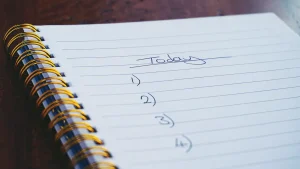
handwritten numbered outline in a spiral notebook
Last updated: October 12, 2026
Key Takeaways
- AI should turn a messy topic into a decision-ready outline, not draft blindly.
- Useful outlines come from constraints before creativity.
- Include the reader’s problem, method, exceptions, and decision points.
- For rankings, match search intent more tightly than most AI drafts.
If you want an AI auto writer to help with how to build a blog post outline with AI, the fastest path is usually to feed it structure, not a blank prompt. I’m writing for the person who already has a topic, a deadline, and a tool like ChatGPT, Jasper, Claude, or Copy.ai — and needs an outline that is actually usable, not a pile of generic headings.
What the AI should do for you first
The AI should turn a messy topic into a decision-ready outline, not draft the post blind. If you give it “how to build a blog post outline with AI,” it should help you identify the reader, the search intent, the main sections, the objections, and the examples before it touches full prose. If it starts writing paragraphs before it has the skeleton, that’s the wrong mode.
The cleanest way to use an AI auto writer here is as a structure assistant with guardrails. I would treat it like an editor that works fast, not like a replacement for thinking; if the topic is sensitive, consult a qualified professional and verify against a source such as Google Search Central or the APA Style guidelines before publishing. The outline should answer five things in about 5–10 minutes:
- Who is this for?
- What problem are they trying to solve?
- What must the outline include?
- What should the outline leave out?
- What order will make the post easiest to read?
If you skip those, the output usually becomes a stack of obvious H2s: “Introduction,” “Benefits,” “Tips,” “Conclusion.” That is the blog equivalent of an empty apartment. A better outline should tell a writer where the tension is, what the reader already believes, and what the post is trying to prove.
A practical starting prompt looks like this:
Create a blog post outline for [topic] for [audience]. Search intent: [informational/commercial]. Include an intro hook, 5–7 H2s, key subpoints under each, one section for common mistakes, and one section for examples. Avoid vague headings and generic advice.
That prompt works because it gives the model a job and a shape. It is not perfect, but it is much better than “write me an outline.”
Quick check: if your AI outline could fit any topic without changing a word, it is too vague.
How do I get a useful outline from ChatGPT or another AI writer?
You get a useful outline by giving the model constraints before creativity. If you want a blog post outline that a human can actually write from, tell the AI the audience, the angle, the format, and the depth level. If you leave out those four pieces, the model will fill the gap with generic internet mush.
I would use a 3-pass workflow:
- Pass 1: define the job. Ask for the audience, the goal, and the search intent in one sentence each. Example: “This is for solo marketers using AI tools to speed up content planning. The goal is to help them build a usable outline in under 20 minutes. Intent is informational.”
- Pass 2: generate structure. Ask for 5–7 H2s with 2–4 bullet points each. Tell it to include one section on mistakes, one on when the method fails, and one on a step-by-step process.
- Pass 3: pressure-test the outline. Ask the model what a skeptical reader would object to, what’s missing, and which heading is too broad. This is where tools like ChatGPT, Claude, and Jasper can be useful in different ways: some are good at variation, some at expansion, some at rewriting tone.
If you want tighter output, name a format. “Listicle,” “how-to,” “comparison,” and “decision guide” do different work. A “how-to” outline should usually start with the condition, then the path, then the exceptions. A comparison outline should start with criteria and trade-offs. If you are writing for SEO, mention the target query and ask the AI to mirror search intent rather than invent a new one.
A plain-English prompt that works better than most is this:
Build an outline for a 1,500-word blog post about [topic]. Audience: [specific reader]. Intent: informational. Include 6 H2 sections, 3–5 bullets under each, one table comparing options, and one section for edge cases. The outline must help a writer produce a specific, non-generic draft.
The trade-off is speed versus control. The more control you ask for, the less “creative” the AI feels. That is a good trade when the job is an outline. I would rather edit a precise structure than rescue a clever mess.
Quick check: if the AI is giving you “insightful” headings but no writing path, you need more constraints, not more prompting.
What should be in the outline, and what should be left out?
The outline should include the reader’s problem, the method, the exceptions, and the decision points. It should leave out background history, broad definitions, and anything that can be written in one sentence. If a point does not help the reader decide what to do next, it does not belong in the outline.
Here is a useful filter: if a heading does not change the reader’s action, cut it. That means a section like “What Is an AI Auto Writer?” is often too weak unless the audience is brand-new. A better version is “What the AI should do first” or “When the standard advice fails.” Those headings earn their space.
The outline also needs the honest limits of the tool. AI can suggest structure, but it does not know your brand voice, product claims, legal constraints, or what your editor already hates. If the post is for a company blog, I would tell the model to avoid unsupported promises and to leave placeholders for examples, screenshots, or product steps. If the post is for a solo publisher, I’d make the outline lighter and more personal.
Here is a simple decision table I would use before drafting:
| Situation | Best Path | Why Other Options Fail |
|---|---|---|
| You know the topic but not the angle | Ask AI for 3 angle options, then outline the strongest one | Jumping straight to sections creates a generic post |
| You know the angle but not the structure | Ask for 5–7 H2s with bullets under each | A freeform draft buries the logic |
| You need SEO alignment | Feed the target query and search intent into the prompt | Ignoring intent produces the wrong kind of article |
| You need a technical or policy-sensitive post | Add constraints, examples, and a “do not cover” list | Broad prompts tend to invent unsafe simplifications |
One figure matters here: aim for 5 to 7 main sections, not 12. More than that usually means the outline is trying to say too much. Too few means the post will feel thin unless the topic is very narrow.
Quick check: if your outline includes sections that do not change what the reader would do next, it is too bloated.
If you want the outline to rank, what changes?
If you want the outline to help a page rank, the structure has to match the search intent more tightly than the average AI draft. That means the outline should answer the query faster than competing pages, use the terms searchers expect, and avoid drifting into adjacent topics that do not belong. Google’s Search Central guidance and the Helpful Content system both reward pages that are useful, specific, and people-first, not just keyword-heavy.
If the keyword is a how-to phrase, the outline should usually open with the direct method, not with a long origin story. If the query is commercial, like “best AI auto writer for outlining blog posts,” then the outline should shift toward criteria, comparisons, and trade-offs. If the query is informational, you want steps, examples, and mistakes.
I would ask the AI to produce an SEO-aware outline in this order:
- State the reader’s job in one sentence.
- List the likely questions behind the query.
- Group those questions into 5–7 sections.
- Add one section for objections or limitations.
- Add one section for a short FAQ at the end.
That last step matters because searchers often want a quick answer to a smaller question after the main one. A FAQ can cover things like whether AI-generated outlines need editing, whether prompts should include keyword research, and whether a human editor still matters. For standards and search quality, I would also keep the outline aligned with Google’s guidance on helpful content and people-first pages, and with the broader advice in Google Search Central rather than chasing tricks.
The obvious alternative is to ask the AI for “SEO headings” and stop there. That usually fails because the headings are optimized for keywords, not for logic. A page can mention the right terms and still read like a disconnected checklist. Good ranking structure is really reader structure with search terms placed where they belong.
Quick check: if your outline is heavy on keywords but weak on sequence, it may look optimized and still underperform.
What if the first outline is bad?
If the first outline is bad, do not rewrite the whole thing manually; diagnose the failure and re-prompt with one correction at a time. Most weak outlines fail for one of four reasons: they are too broad, too thin, too repetitive, or too detached from the reader’s actual problem.
A broad outline sounds polished but says little. Thin outlines list headings without subpoints. Repetitive outlines recycle the same promise under different labels. Detached outlines talk about the topic instead of the decision the reader needs to make.
Here is the process I would use to fix it:
- Circle the headings that could belong to any post.
- Delete the sections that repeat the same point in different words.
- Add one section for a specific edge case or limitation.
- Ask the AI to rewrite the outline for a narrower reader.
- Request bullets under each heading that show what the writer must cover.
- Run one final check: does every section earn its place?
That last line is the standard I would keep in mind. A good outline is not a list of pretty labels. It is a working map. If the map does not tell the writer where to start, what to include, and where the traps are, it is decoration.
A practical limitation: AI is good at generating many options quickly, but it is not reliably good at knowing your editorial standards. If you are writing for a regulated field, a brand with strict voice rules, or a publication that hates fluff, you still need human judgment on the final outline. That is especially true for health, finance, and legal-adjacent topics, where a qualified professional should review the content before publishing. For research-backed editorial decisions, consult sources such as the National Institute on Aging, the CFPB, or the American Bar Association depending on the topic.
Quick check: if you keep fixing the same outline three times, the issue is probably the prompt, not the model.
Common mistakes that break the outline
The most common mistakes are easy to spot once you know what to look for. If the outline is built from AI without a human filter, it often breaks in predictable ways: shallow headings, mismatched intent, missing objections, and no clear end point.
I would watch for these specific failures:
- The outline starts with a definition when the reader needs a decision.
- Every section is the same length and shape, which makes the post feel robotic.
- There is no section for “what to do if this does not work.”
- The headings sound smart but don’t tell the writer what content belongs there.
- The outline covers benefits but skips trade-offs.
- The AI invents a “best practice” that is really just a bland preference.
This is where the trade-off against a blank-page approach becomes obvious. A blank page gives you total freedom but wastes time. An AI outline gives you speed but can flatten judgment. The better answer is to use the AI for scaffolding, then impose editorial order.
For someone using a tool like ChatGPT, Claude, Jasper, Writesonic, or Copy.ai, I would make one rule non-negotiable: every heading must answer a reader question that can be stated out loud. If you cannot say the question in plain English, the heading is probably too abstract.
One more practical limit: AI is not the right first step if you do not know your audience at all. In that case, a 15-minute audience note, a few competitor pages, and a short list of reader questions will do more than prompt experimentation. The tool amplifies clarity; it does not create it.
Quick check: if your outline reads like a glossary instead of a path, the content will probably stall.
FAQ
If you still have a few practical questions, the short answers are below.
Do I need keyword research before asking AI for an outline?
Yes, if the post is meant to rank. Even a quick look at the target query and related terms helps the outline match intent instead of drifting.
Should the AI write the whole outline in one prompt?
No, not if you want control. I’d split it into at least two passes: one for structure, one for refinement.
What is the best length for an AI-generated outline?
For most blog posts, 5–7 main sections with bullets under each is enough. If the topic is complex, add a table or edge-case section rather than piling on more headings.
Can I use the same outline prompt for every topic?
You can, but you shouldn’t. A comparison post, a how-to guide, and a product-led post need different structures.
Does AI replace an editor in outlining?
No. It speeds up drafting, but a human still needs to remove fluff, verify claims, and decide what the reader actually needs.
Final take
The best way to build a blog post outline with an AI auto writer is to treat the AI as a structure engine, not a strategy engine. Give it audience, intent, constraints, and a required shape. Then make it earn every heading.
If you want the shortest version of my advice, it is this: define the reader, force the model into a 5–7 section skeleton, add one section for objections or edge cases, and cut anything that does not change the reader’s next step. That approach works better than asking for a “great outline” and hoping the model guesses right.
A polished outline is not the goal. A usable one is.
Drafted with AI; not yet reviewed by a person.